How to review a manuscript?
The journals published by E-Palli Publishers follow a double-blind peer review process for publishing a manuscript. The author and the reviewer remain anonymous during the review process. After the successful submission of a manuscript, the journal editors initiate the primary assessment before sending it to a reviewer. After passing the first assessment stage, the manuscript is ready to send to a reviewer. The editors choose reviewers based on their previous publishing history and experience in the field.
Article Review Request
As a reviewer, you will learn of the review request via email or by checking your dashboard in the journal. The request contains the title and abstract with a due date to respond to or review the manuscript.
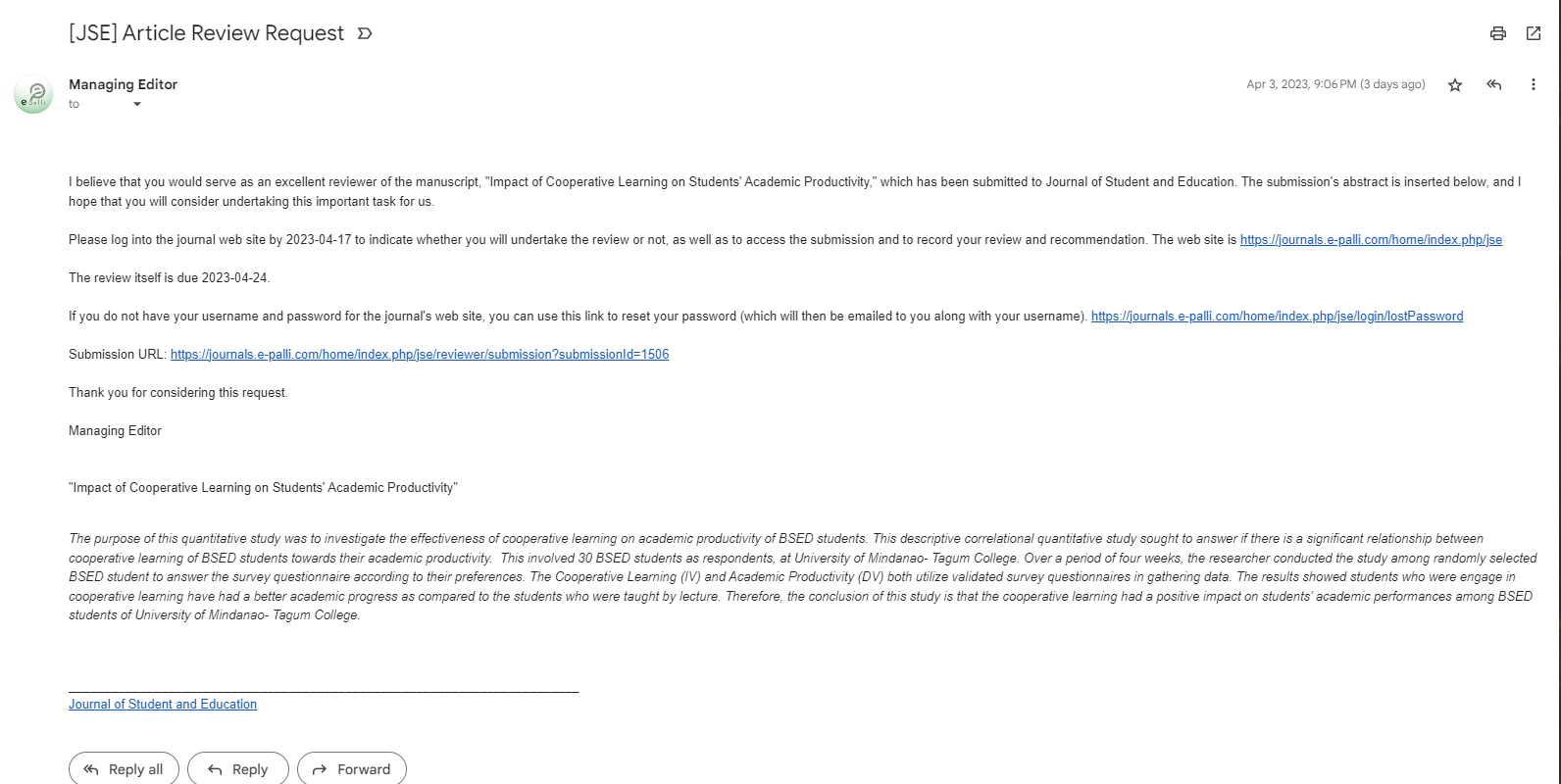
Notice the lack of author information in this Anonymous Reviewer/Anonymous Author peer review process. You can contact the editor to give feedback regarding the lackings.
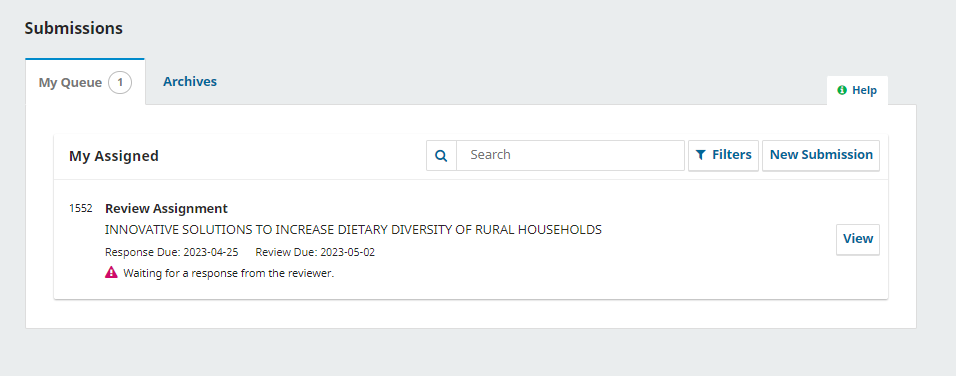
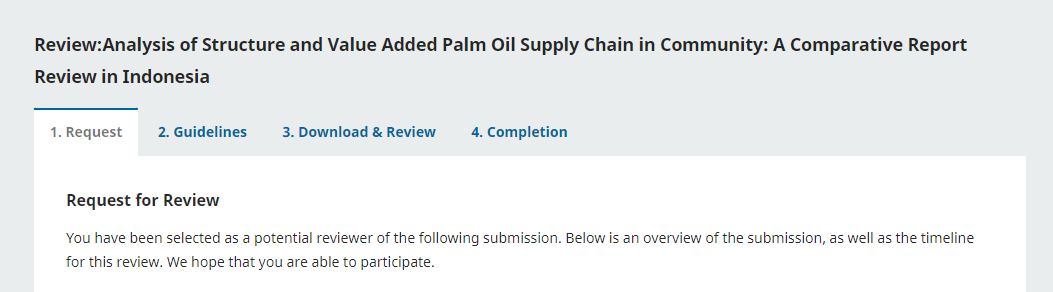
Selecting the Review link will take you to the first review step in the submission record, which is much more limited, and contains no author information. You will notice the following four stages in the reviewer's dashboard.
- Request
- Guidelines
- Download & Review
- Completion
Step 1: Request
This first step consists of the following sections:
Request for Review: Provides some text inviting you to act as a reviewer.
Article Title: Provides the title of the article.
Abstract: Provides the abstract text.
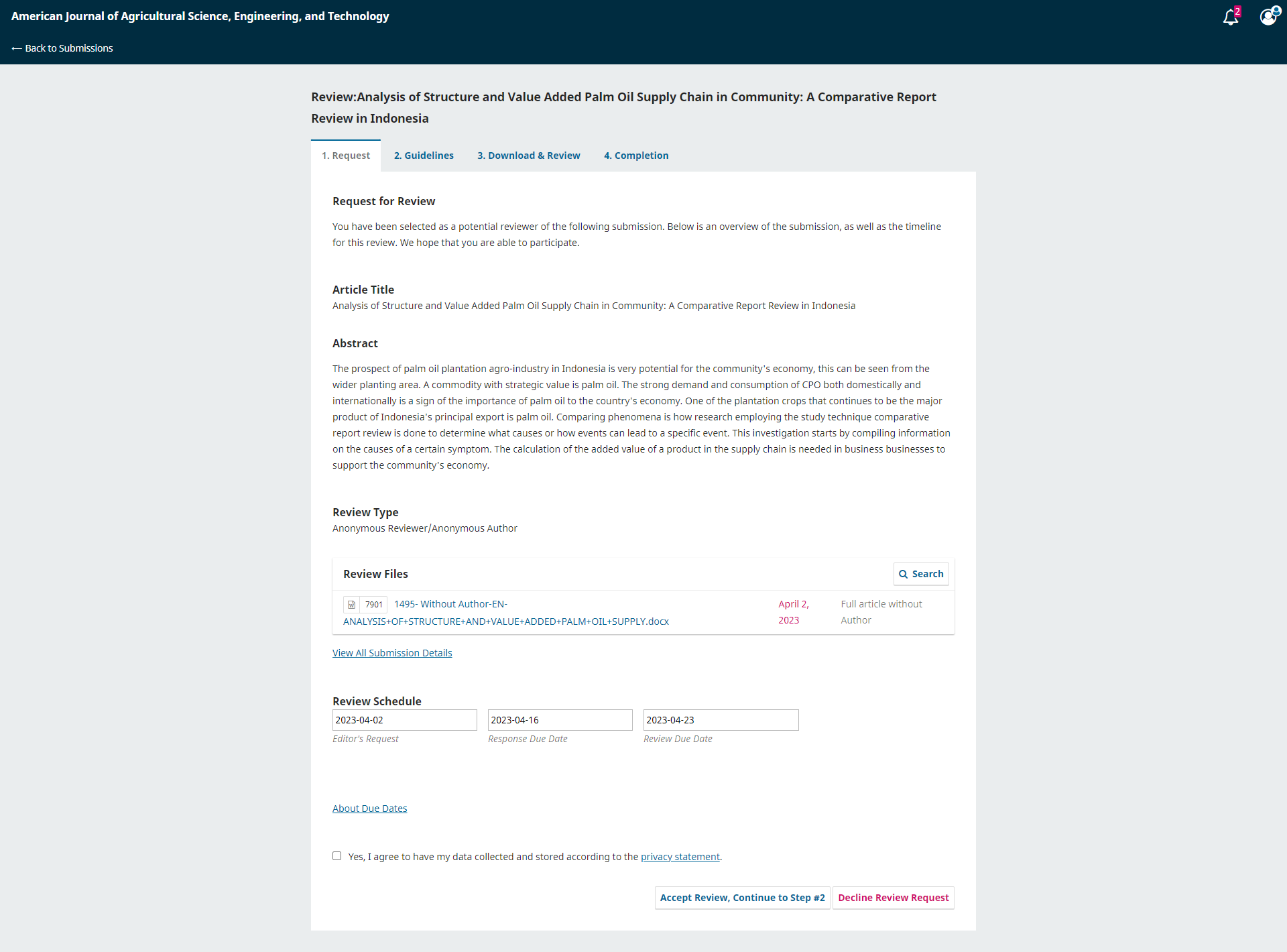
Further down the screen, you will find additional information.
Note that none of these fields are editable by the reviewer, and are only provided to help you conduct a thorough review.
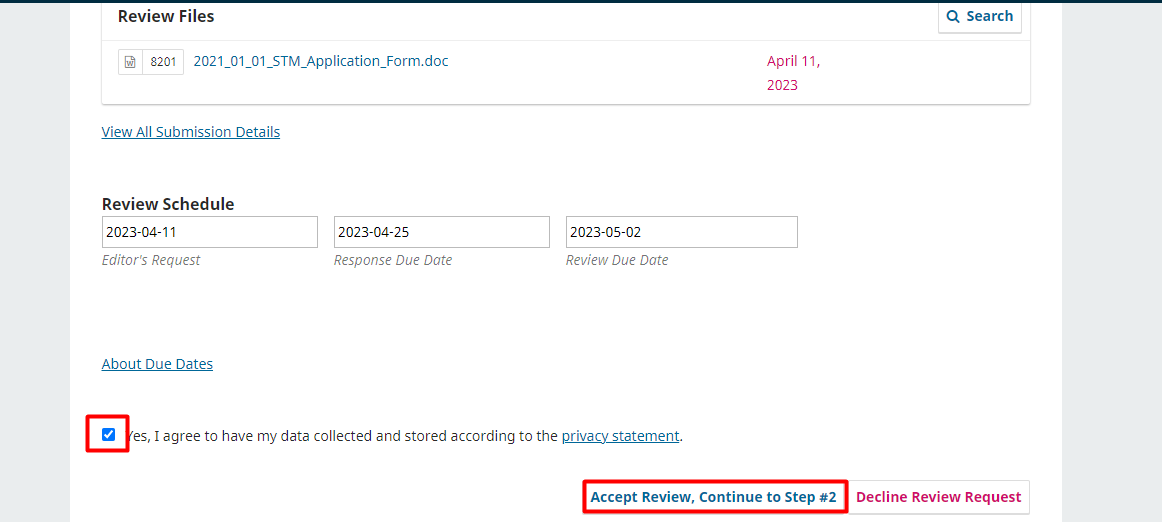
Close this window and move further down the screen. From here, you can see the Review Schedule, including all of the relevant due dates.
From here, you can decline or accept the review. If you decline, you will be dropped from the process. If you accept, you will move to review step 2, where you would be able to read any reviewer guidelines provided by the journal.
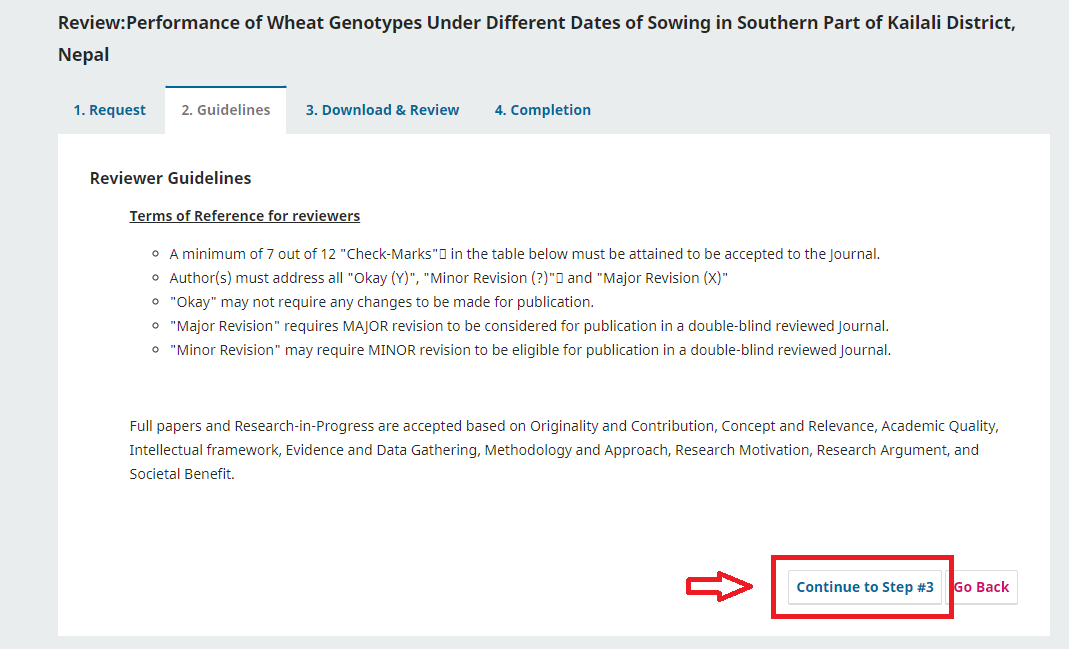
Step 2: Guidelines
The guidelines about the “Reviewers Feedback Form” is provided in the step. The guidelines are as follows:
Terms of Reference for Reviewers
- A minimum of 7 out of 12 "Check-Marks" in the form must be attained to be accepted to the Journal.
- "Okay" may not require any changes to be made for publication.
- "Major Revision" requires MAJOR revision to be considered for publication in a double-blind reviewed Journal.
- "Minor Revision" may require MINOR revision to be eligible for publication in a double-blind reviewed Journal.
Full papers and Research-in-Progress are accepted based on Originality and Contribution, Concept and Relevance, Academic Quality, Intellectual framework, Evidence, and Data Gathering, Methodology, and Approach, Research Motivation, Research Argument, and Societal Benefits.
After reading the guidelines, hit Continue to move to step 3.
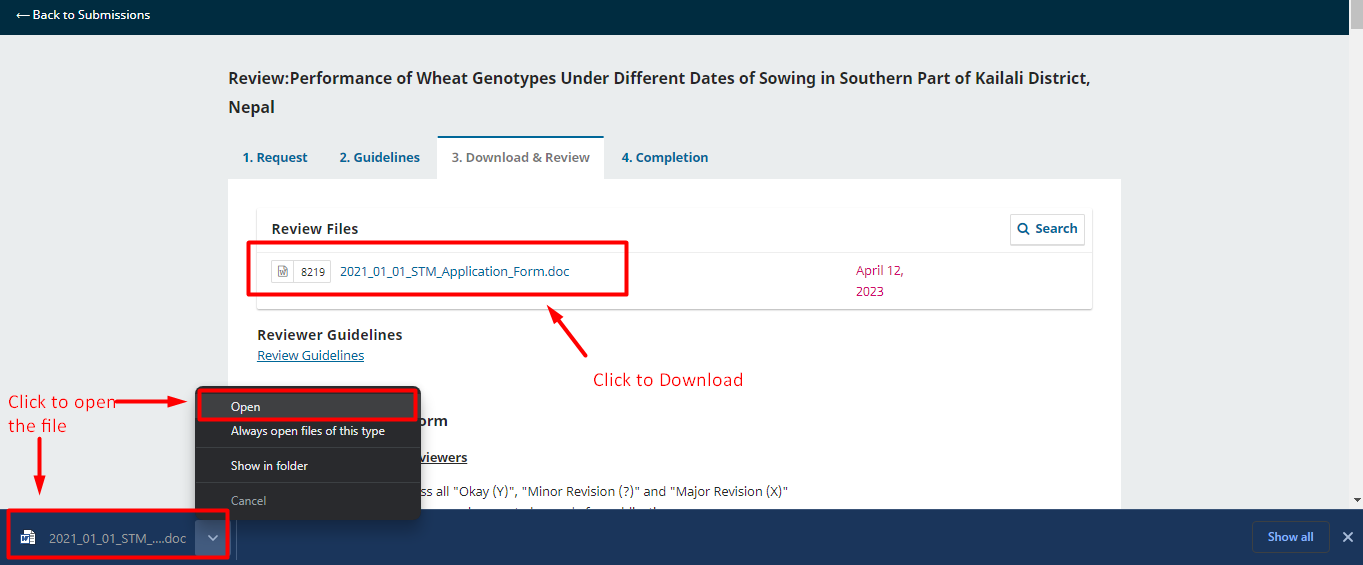
Step 3: Download & Review
You can download a copy of the review files and enter your review comments. You can download the files from the dashboard.
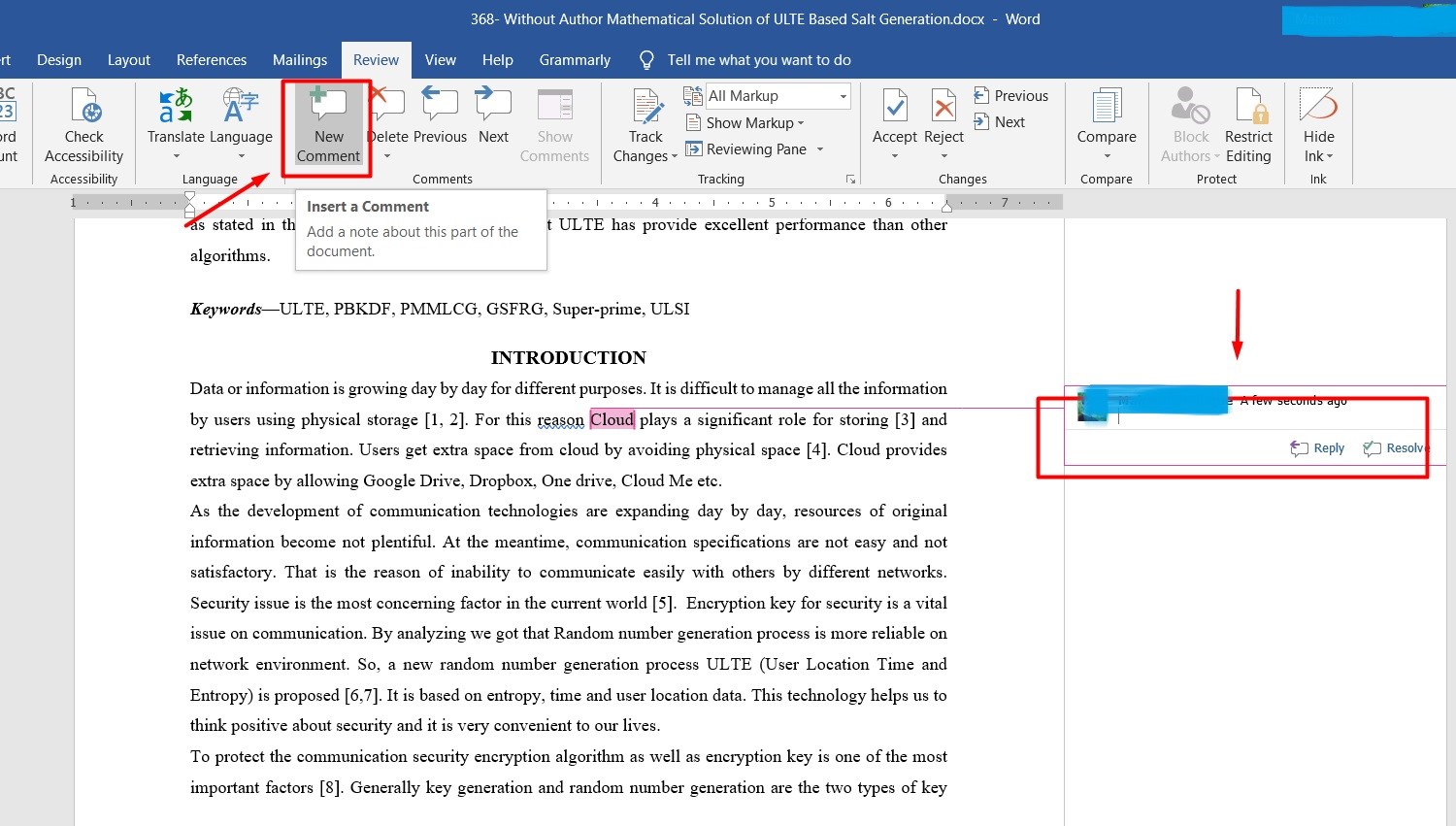
Once you complete the review and add your comments, scroll down the page to optionally upload a marked-up copy of the review file (remember to strip any personal identification from the file before uploading it).
The “Reviewers Feedback Form” contains 12 sections, and each of the 12 sections has 3 options: Okay, Minor Revision, and Major Revision. The reviewer will evaluate the 12 criteria based on the manuscript and select one of the three options for each section. Also, there is an option for making additional comments on each of the criteria. You can provide your valuable comments, which may need to be addressed by the publisher or author.
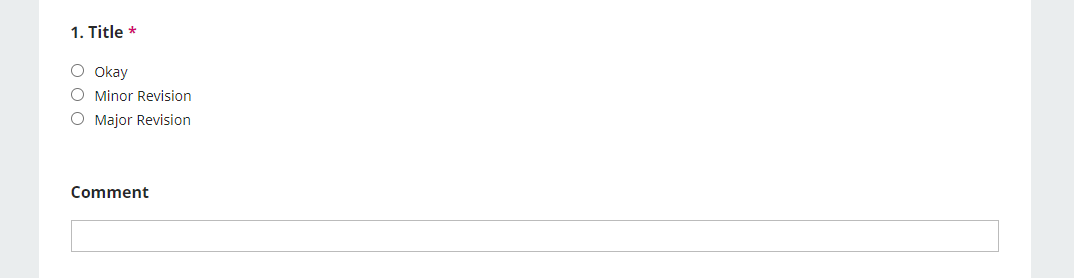
Reviewers Feedback Form
Title
- Is the title comply with the article and the research format?
Abstract
- Is the abstract written following the standard format?
- Is the abstract touched all the sections of the manuscript i.e. introduction, methodology, result and discussion, and conclusion?
- Are keywords define the whole manuscript?
Introduction
Literature Review
- Is the related literature considered while writing the manuscript?
Materials & Methods
- Is methodology clearly defined in the manuscript?
- How about the evidence and data collection information defined in the manuscript?
Result & Discussion
- How did the author provide the findings and analysis?
Conclusion
- Is the conclusion or summary clearly explained?
Novelty of Research
- Is there any novel contribution to the manuscript?
Contribution of Knowledge
- Does the research contribute to the study area?
Fulfill of Research Gap
- Is the research motivation clearly defined?
- Is the research gap found in the manuscript?
References
- How about the reference quality?
Additional Comments
You can provide additional comments on each of the sections. Also, you can make your comments and provide instructions that are not covered by the previous options.
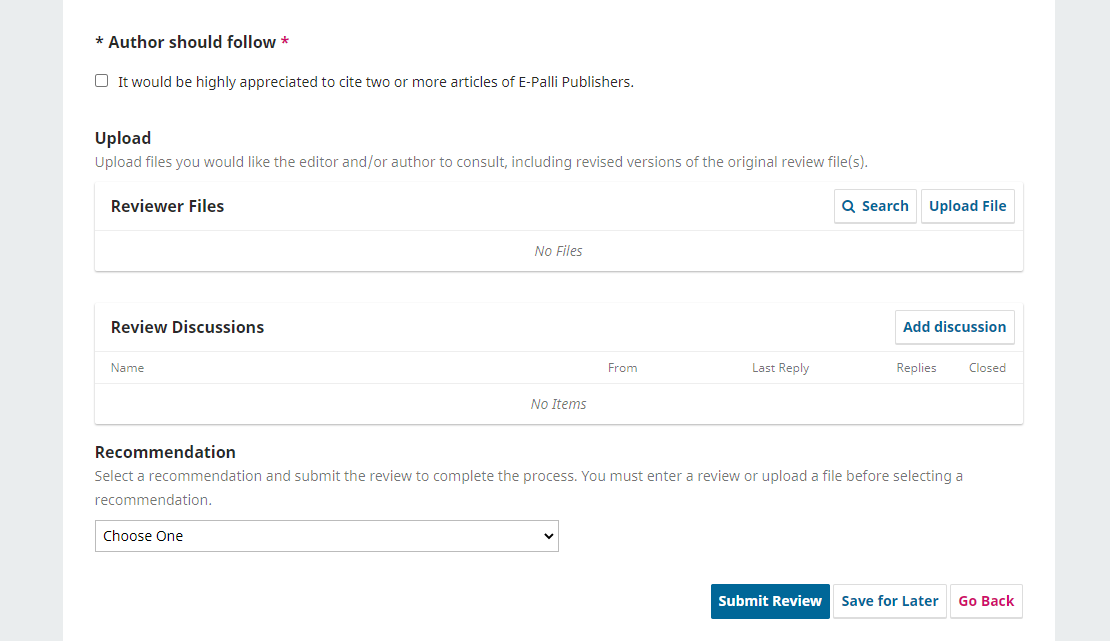
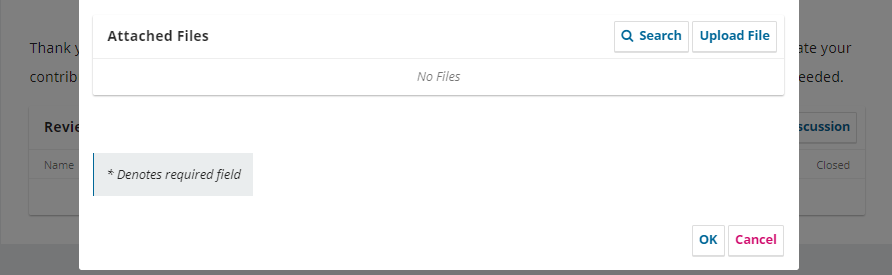
Upload Reviewer Files
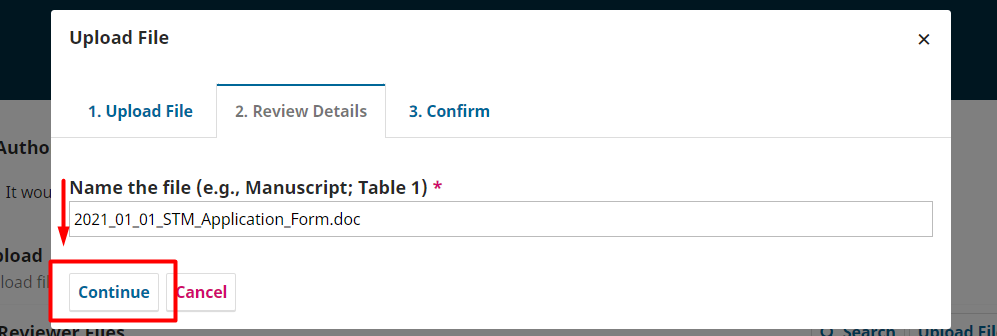
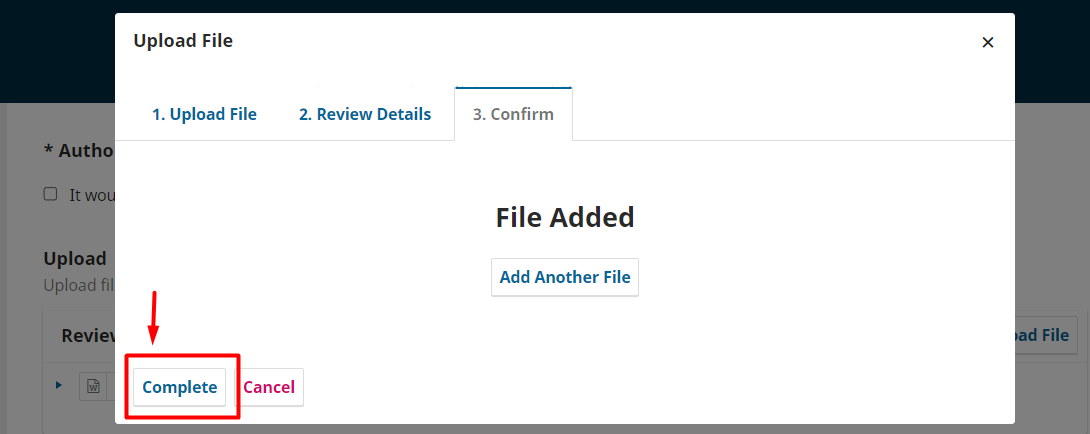
You’ll be provided with a Word file containing the manuscript. You can review the file and make your comments inside the file. After reviewing the manuscript, you can upload the reviewer files into the system.
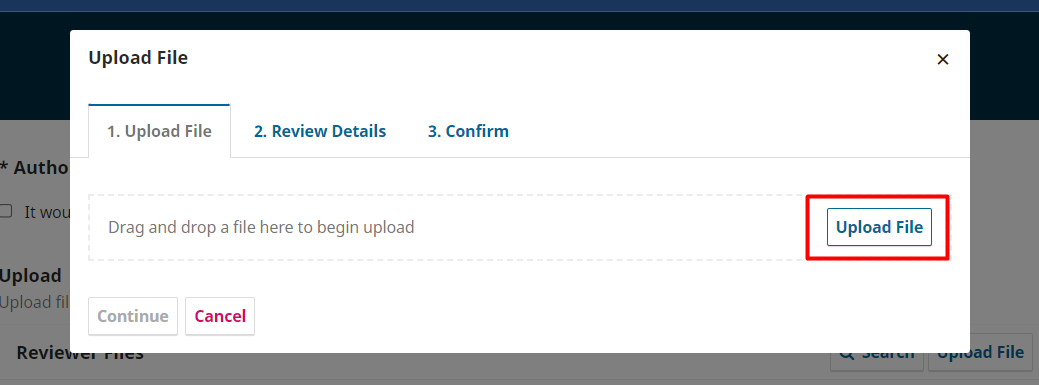
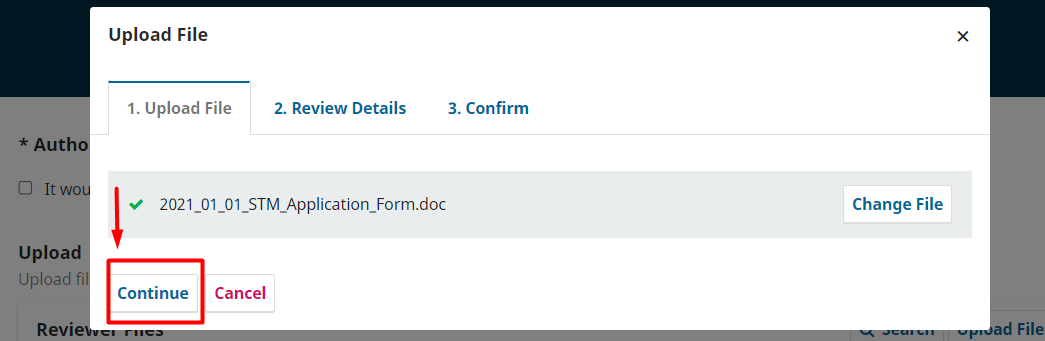
Review Discussions
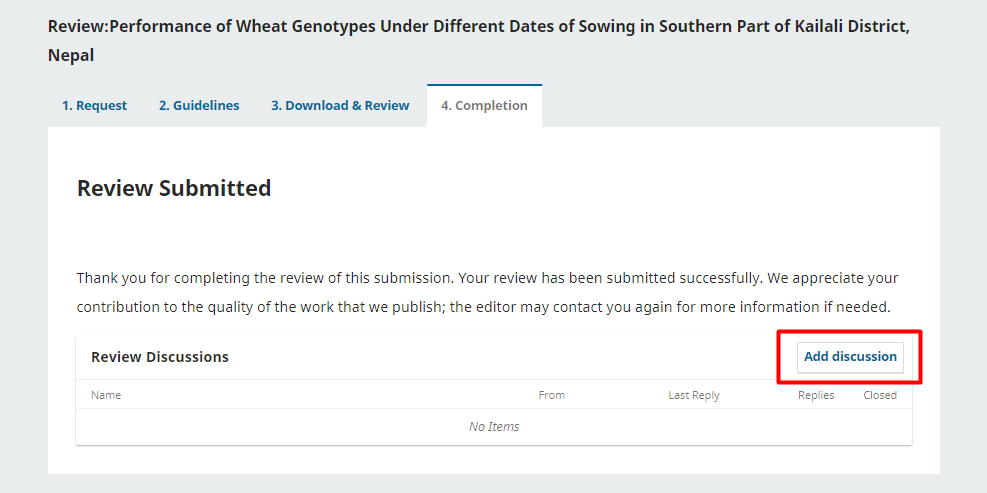
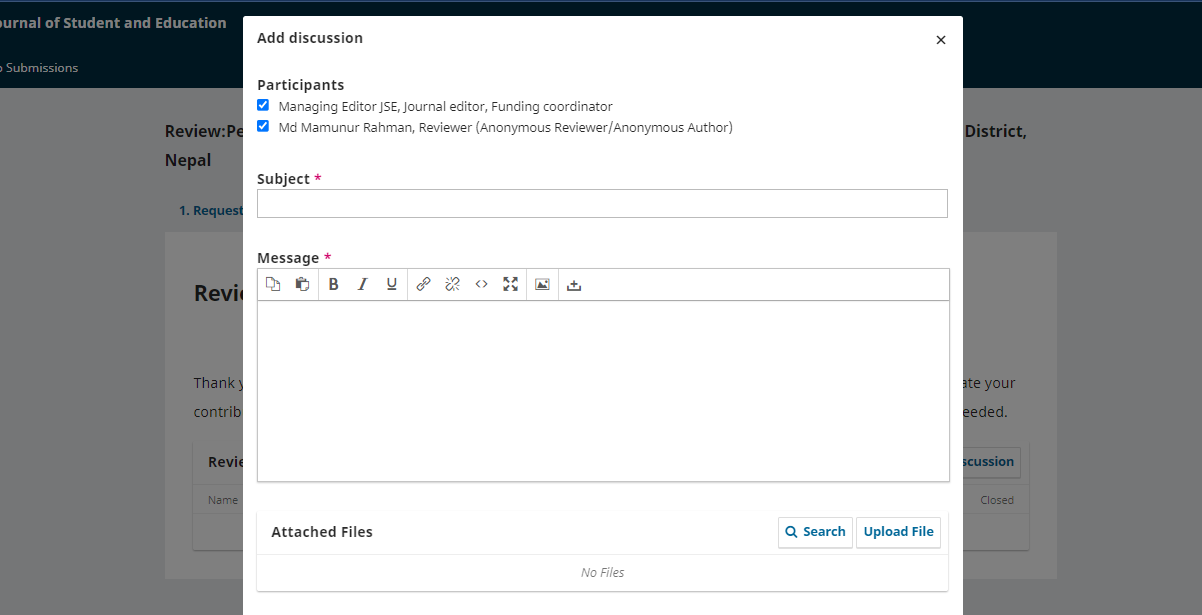
The reviewer/editor can initiate a reviewer discussion in order to discuss the queries and answers regarding the manuscript and the review where the author and reviewer remain anonymous in the discussion.
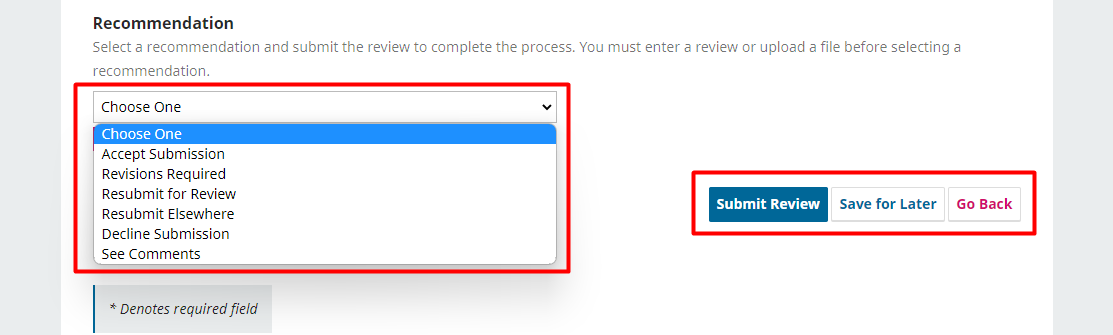
Next, you must then make your recommendation using the dropdown menu.
Recommendations
After the completion of the review process, the reviewer will recommend it to the editor accordingly. There are several options for recommendations. They are described below:
Accept Submission
it is ready to go for Copyediting as is.
The manuscript fulfilled the above review criteria so that the submission can be accepted. If some minor corrections are needed, they can be mentioned in additional comments, and still, the paper can be accepted.
Revision Required
it requires minor changes that can be reviewed and accepted by the editor.
When the manuscript doesn’t comply with the review criteria, a revision is required. It is the duty and responsibility of the author to revise the file and send back the revised file for the second round review process. After the revision is acceptable by the reviewer, the manuscript will be eligible for publishing in the journal.
Resubmit for Review
it requires major changes and another round of peer review. This will require the Author to make major changes, and another round of review will need to take place.
Resubmit Elsewhere
it doesn’t seem like a good fit for the focus and scope of this journal.
Decline Submission
it has too many weaknesses to ever be accepted. This means the submission has not passed peer review and is unsuitable for further consideration. The submission would then move to the Archives.
See Comments
if none of the above recommendations make sense, you can leave a comment for the editor detailing your concerns.
Step 4: Completion
Next Step
Finally, hit the Submit Review button to complete your task. You’ll be asked to confirm.
Once this review has been read, press "Confirm" to indicate that the review process may proceed. If the reviewer has submitted their review elsewhere, you may upload the file below and then press "Confirm" to proceed.
Submit Review or Save it for later
In the final round, you can save the review to submit later, or you can submit the review at once.
Hit OK. You will be taken to the final confirmation screen, thanking you for your work.
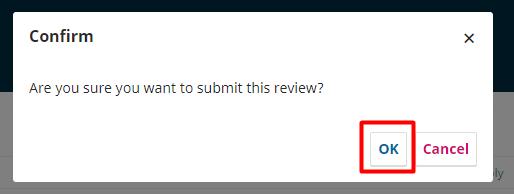
That’s it! The review is now complete.


